

9 Windows (also called the System Operator) is a creative thinking tool that forces you to look at a subject across time and space. You fill a 3×3 matrix. From past and present you reason toward a credible future — and that future is where new ideas live.
In the tool picker, the name is 9 Windows. Description: System Operator. Think in space and time. Predict the future.
The session heading starts as Think in space and time. (you can rename it). The one-liner is: Analyze a system and predict future development. Learn more » opens this knowledge-base article.
For the tools list, see Creative tools. For the project map, see Project Structure. Product overview: 9 Windows on priz.guru.
Sign Up & Login
This document assumes you have already registered, logged in, and created a project. If you need help with those steps, see Sign Up & Login Instructions and Creating Projects.
A little theory
In TRIZ-style thinking, the System Operator is a way to fight psychological inertia: the habit of staying inside the present system and ignoring everything around it. Problems look “stuck” when you only see one window. They start moving when you place the same subject in a larger context, in its parts, in its history, and in a possible tomorrow.
Time is not decoration. Past → present shows the real trajectory of the system. Future is not fantasy for its own sake — it is where useful novelty lives. If a proposal does not change anything about how the system will exist later, it is usually a tweak of the present, not an invention.
Space is hierarchy. Subsystem, System, and Super System are nested: parts make the whole, and the whole only makes sense inside a larger world. Fill the matrix so those correlations stay visible. The nine cells are one picture, not nine unrelated notes.
What the matrix is for
Your brain defaults to the middle cell: Present System — the thing as it is right now. 9 Windows pushes you out of that inertia. For a pen, that would mean not only “how do I write better today,” but also:
- Super System — the person holding the pen, the paper, the desk, the meeting.
- Subsystem — ink, tip, molecules, materials.
- Past — manufacture, shipping, unpacking, preparing to write.
- Future — what happens after you finish writing, through disposal when the pen is empty.
The same pattern applies to engineering systems, processes, products, and organizations. You define the structure in past and present, then forecast development paths in the future column. That forecast is what feeds innovative ideas; a “new idea” that does not talk about the future is not really new.
Use 9 Windows when you need system analysis and forecasting: excursions and chronic problems, technology roadmaps, product evolution, or any case where the present system view alone is too narrow. Worked examples on the site include cellphone future with 9 Windows and beyond plasma in microelectronics.
The two axes
Columns are TIME: Past | Present | Future.
Rows are SPACE (hierarchy): Super System (the larger context the system belongs to) | System (the subject you chose) | Subsystem (parts of the system). Subsystem sits inside System; System sits inside Super System.
Together they make nine labeled cells. Empty cells show a number 1–9 as the recommended fill order. Follow that order for the best results — past and present first, then invent the future from subsystem and supersystem trends, and only then name the future system.
Start the tool
Open Creative tools, click New, then Use on 9 Windows. You can also start it from the header Start new tool. Breadcrumb: Home → Projects & Tools → Project → Tools list → 9W.
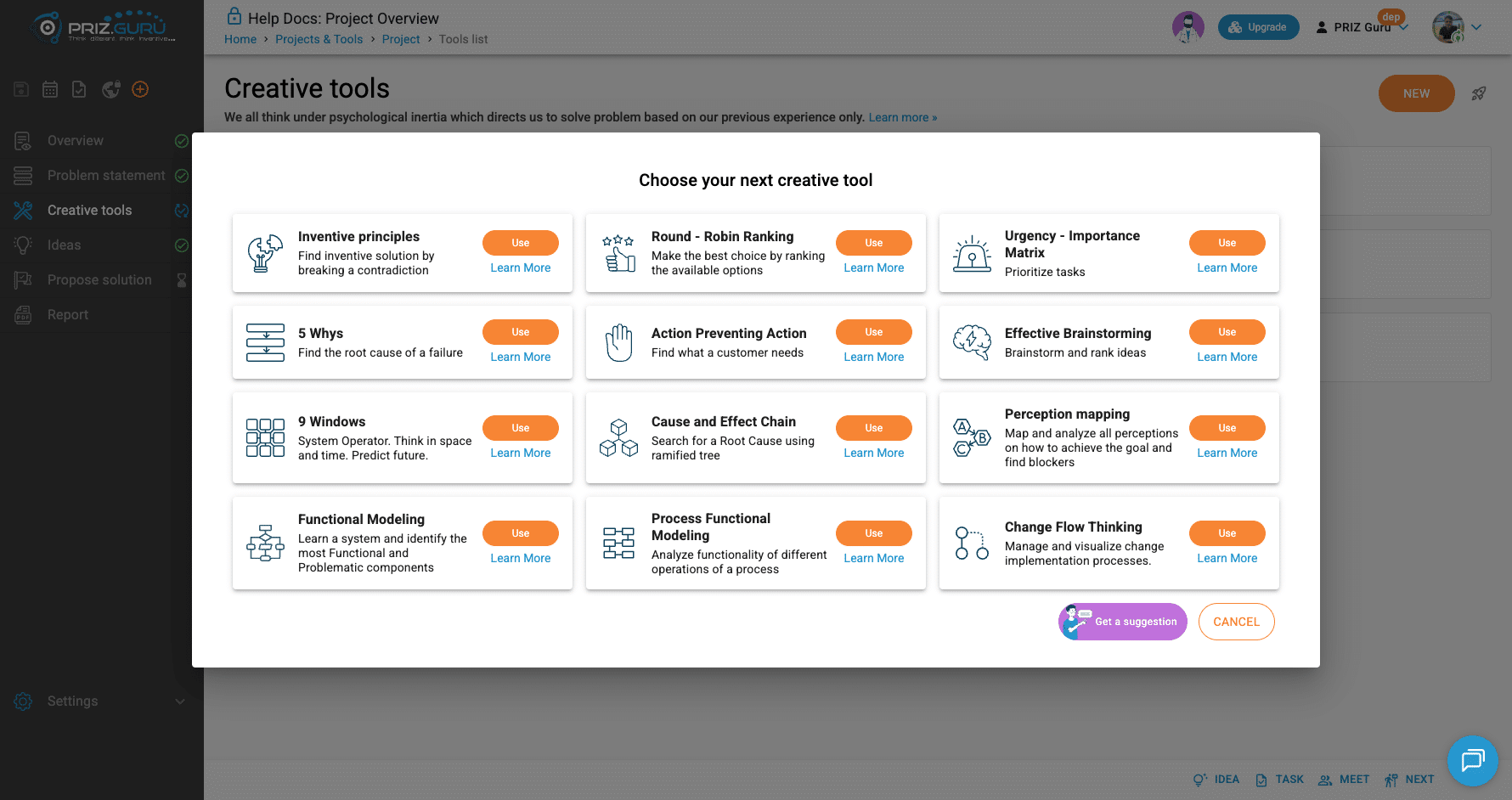
Diagram and Conclusion
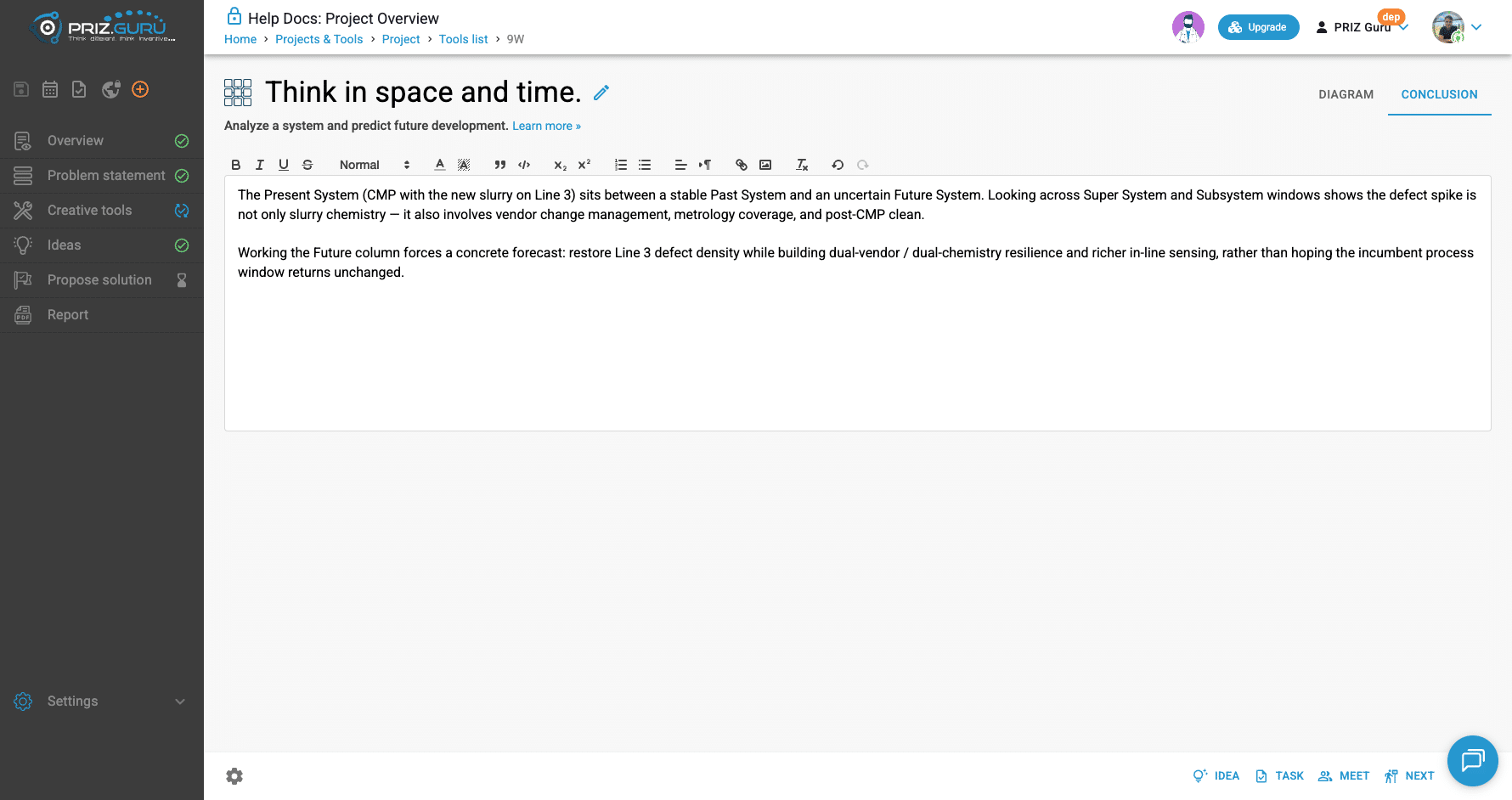
Two tabs. The matrix lives on Diagram. Conclusion is a rich-text note for you and the project report — write it after the matrix is filled.
Rename the session title with the pencil next to Think in space and time, if you want a subject-specific name on the tools list and in reports.
Fill the Diagram
Open Diagram. You see nine outlined fields. Each has a label (for example, Present System) and, while empty, a placeholder number for order.
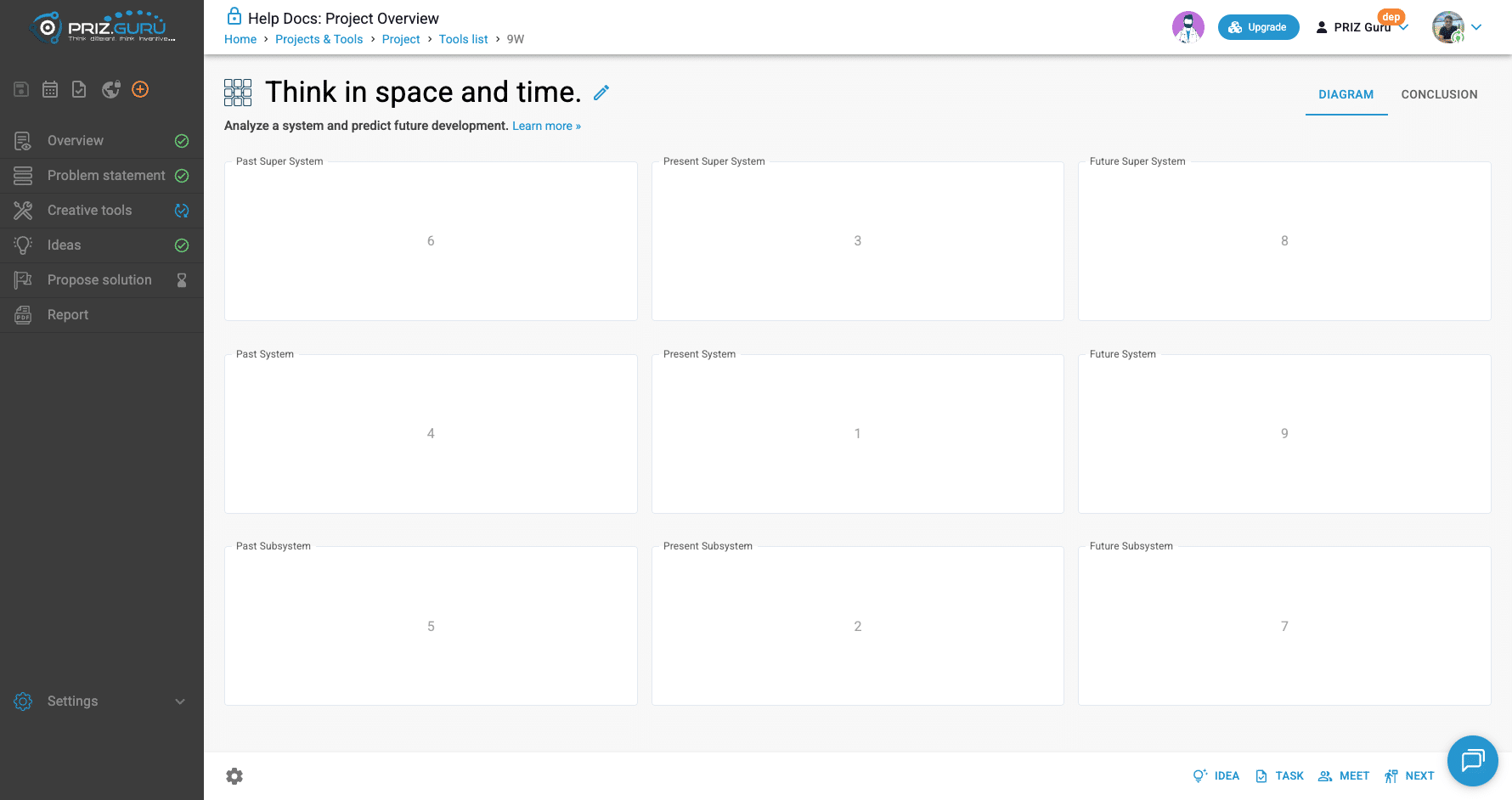
Click a cell and type. Changes save automatically. You can edit any cell later; the numbers are guidance, not locks.
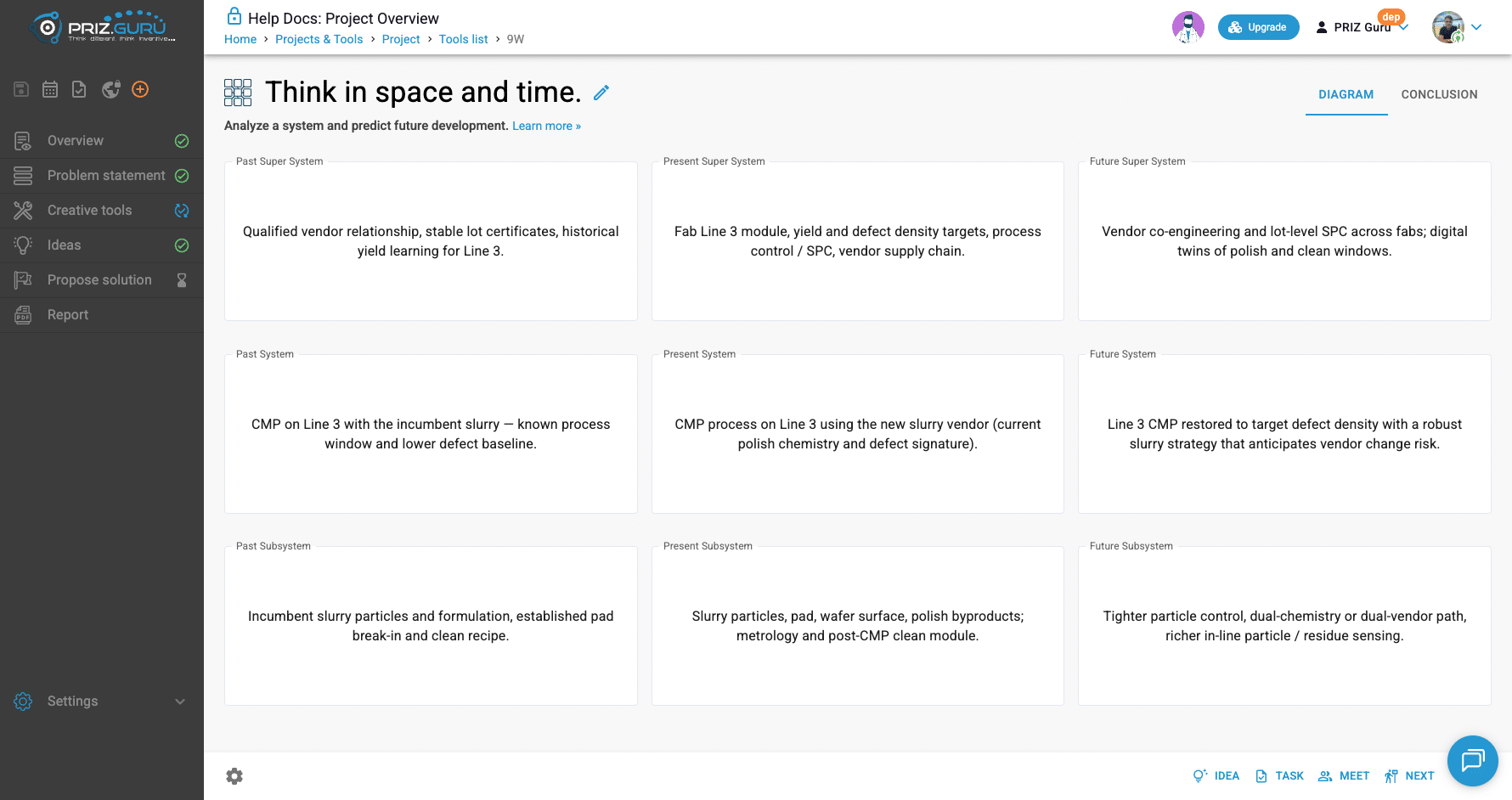
Below is the recommended order, with the classic “digital image” example from the older guide, plus how the same steps look for a process problem (CMP slurry on a fab line — the filled screenshot later).
1. Present System
Describe the subject of your analysis — the system as it exists now.
- Digital image example: Digital image
- Process example: CMP process on Line 3 using the new slurry vendor (current polish chemistry and defect signature).
2. Present Subsystem
List one or more components of that system today.
- Digital image: Pixel (virtual) on physical data storage; virtual particles on physical storage
- Process: Slurry particles, pad, wafer surface, polish byproducts; metrology and post-CMP clean module.
3. Present Super System
Describe which larger system(s) this subject belongs to now.
- Digital image: Digital image album, PowerPoint presentations, …
- Process: Fab Line 3 module, yield and defect density targets, process control / SPC, vendor supply chain.
4. Past System
How the subject looked in the past.
- Digital image: Photo image
- Process: CMP on Line 3 with the incumbent slurry – known process window and lower defect baseline.
5. Past Subsystem
Components of the system in the past.
- Digital image: Physical particles on physical photo paper; physical particles on physical storage
- Process: Incumbent slurry particles and formulation, established pad break-in and clean recipe.
6. Past Super System
The larger systems it belonged to in the past (same idea as step 3, earlier in time).
- Digital image: Photo album; a physical album on physical storage
- Process: Qualified vendor relationship, stable lot certificates, historical yield learning for Line 3.
With past and present filled, you move to the creative part: invent the future using both axes. Still work in stages — subsystem and supersystem trends first, then the future system itself.
7. Future Subsystem
From past → present subsystem evolution, invent plausible future components.
- Digital image trend: physical particles on paper → virtual particles on physical storage → pixels / virtual particles on virtual storage
- Process: Tighter particle control, dual-chemistry or dual-vendor path, richer in-line particle / residue sensing.
8. Future Super System
Same idea for the larger context.
- Digital image trend: physical album → digital album on physical storage → digital album on virtual storage
- Process: Vendor co-engineering and lot-level SPC across fabs; digital twins of polish and clean windows.
9. Future System
Last. Use everything in the matrix — especially the future subsystem and supersystem — and describe what the subject system itself becomes. That cell is your forecast and the seed for ideas.
- Digital image: Virtual image on virtual storage
- Process: Line 3 CMP restored to target defect density with a robust slurry strategy that anticipates vendor change risk.
Read the matrix, then act
When all nine windows are filled, read across rows (how one level evolves in time) and down columns (how hierarchy fits at one moment). Look for contradictions, missing transitions, and forced futures. Those gaps are where ideas appear.
From the footer, you can capture follow-ups without leaving the tool:
- Idea — send a candidate into the project Ideas list.
- Task — create work in Task Manager.
- Meet — schedule discussion in Meetings.
- Next — continue the project flow toward Ideas (same working-flow control as other creative tools).
You can also open Effective Brainstorming or another creative tool if you want a structured ideation session after the forecast is clear.
Conclusion
Open the Conclusion tab. Placeholder: Describe your conclusion that resulted form this 9 Windows tool.
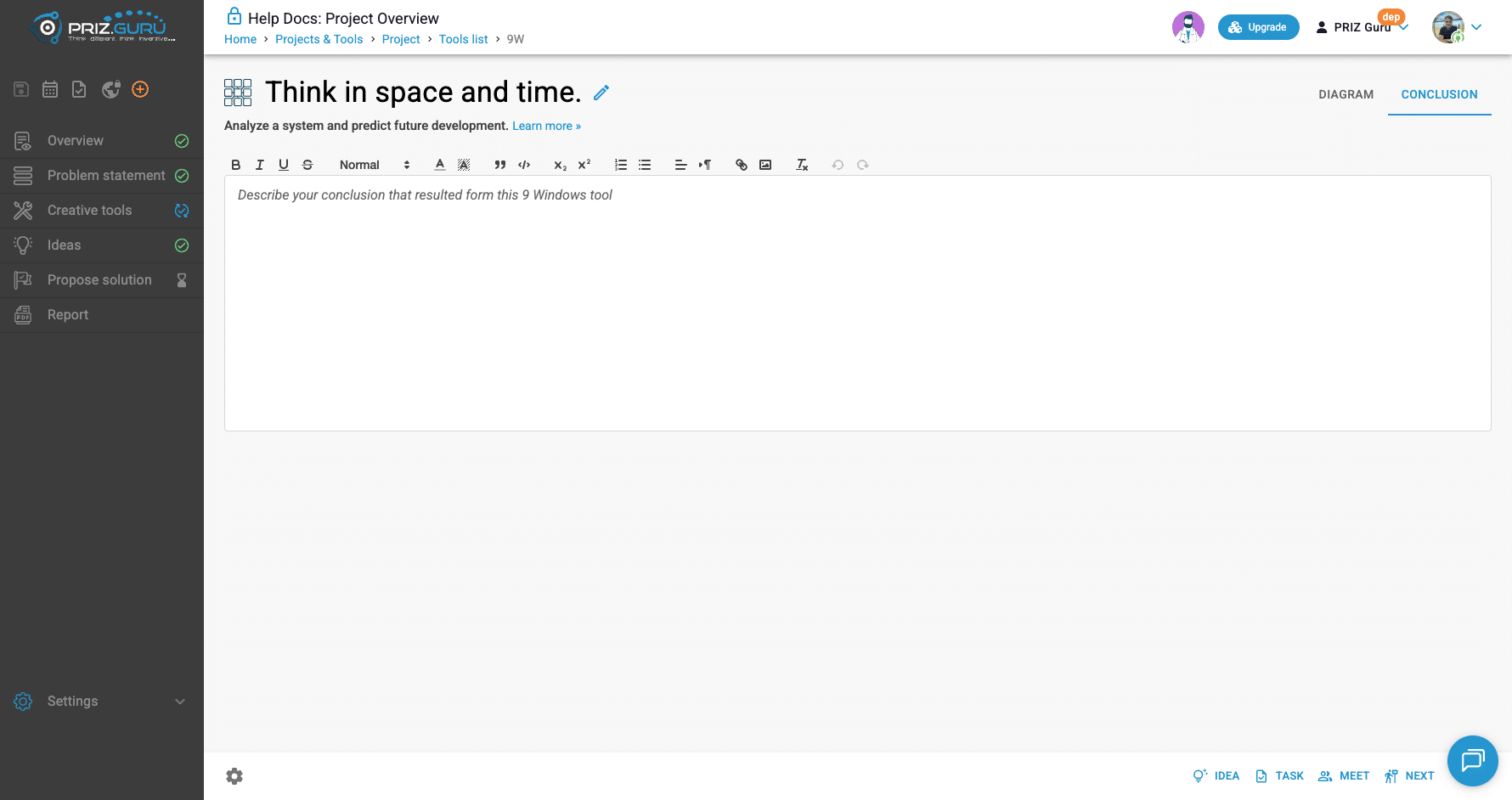
Summarize what the matrix taught you: how past → present trajectories constrain the future, what must change at subsystem and supersystem levels, and what Future System you are aiming for. This text lands in the project report with the diagram.
Tips
- Stay disciplined about fill order. Jumping to Future System too early usually recycles Present System wording.
- Keep each cell concrete. Vague labels (“better process,” “innovation”) do not forecast anything.
- Write subsystem and supersystem futures as evolutions you can justify from past → present trends, then let Future System follow.
- One matrix, one subject. If you need another subject, start another 9 Windows session.
- Rename the session title so the tools list and report stay readable when you have several sessions.
- After the matrix, capture ideas and tasks from the footer so the forecast does not stay only on the Diagram tab.
That’s it. I hope it’s clear and easy.
P.S. Please let us know if you require any assistance.